Gemini Is Becoming the Interface
A strange thing is happening to the chatbot: it is disappearing.
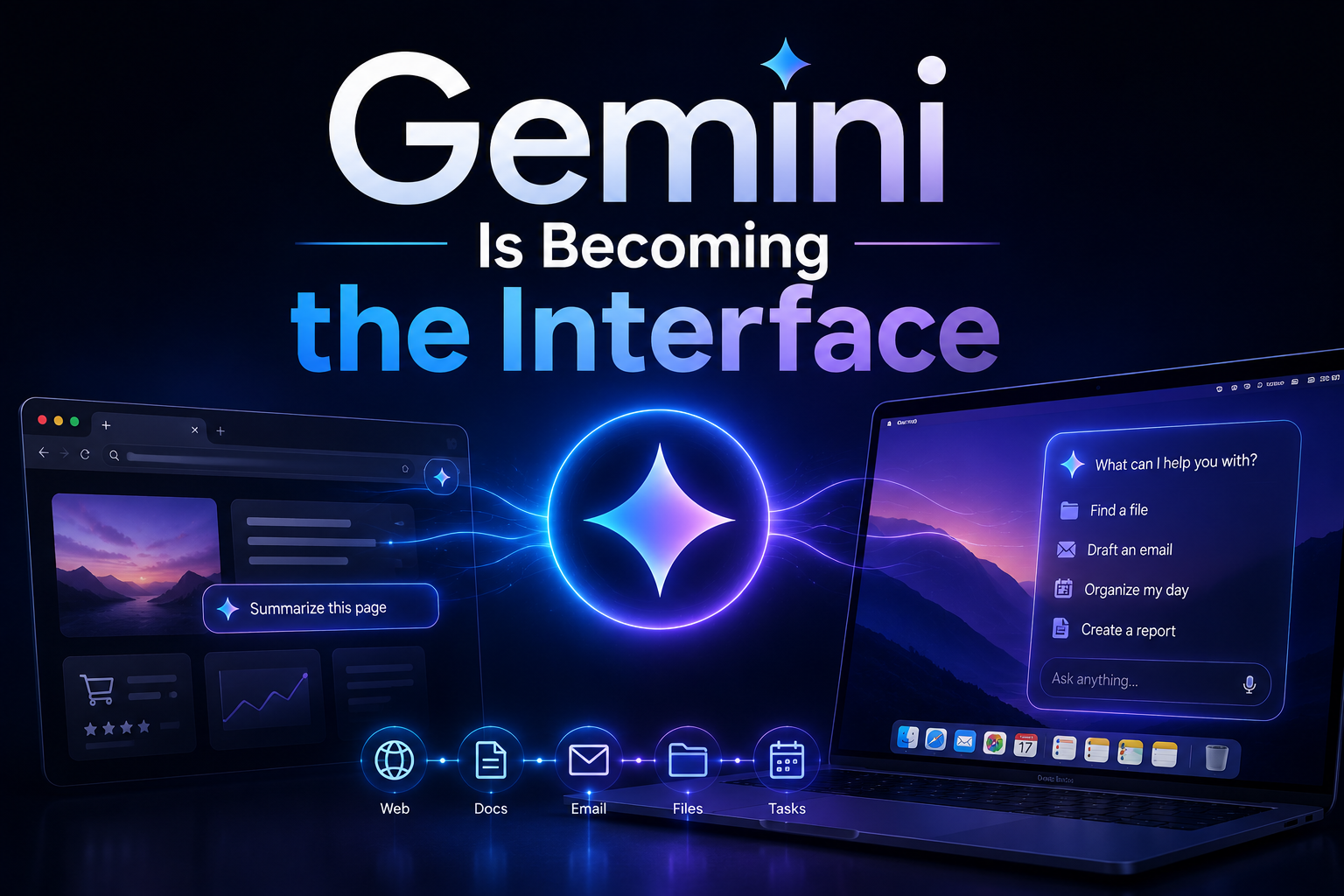
Not because AI assistants are going away, but because the most important ones are being absorbed into the software we already use. Google’s latest Gemini push — including Gemini Spark’s tighter Chrome integration and new natural-language capabilities on macOS — points to a future where the assistant is no longer a separate destination. It becomes the layer between you and the machine.
That sounds subtle. It is not. The shift from “open a chatbot and ask a question” to “tell your browser or laptop what you want done” could be as consequential as the move from command lines to graphical interfaces. The prompt is becoming a control surface.
From chatbot window to working layer
The first wave of consumer AI was defined by the blank box: ChatGPT, Gemini, Claude, Copilot. You opened a site or app, typed a request, copied the result, and pasted it somewhere useful. It was powerful, but awkward. The assistant knew little about what you were doing unless you manually fed it context.
Google’s newer Gemini strategy is different. Instead of asking users to interrupt their workflow, Google is pushing Gemini closer to the places where work already happens: Chrome tabs, web pages, documents, email, and now the desktop environment itself.
In Chrome, that means Gemini can become useful before you explicitly “chat” with it. Imagine researching a camera purchase across eight tabs. A standalone chatbot needs links, specs, and pasted text. A browser-native assistant can understand the pages already open, summarize the trade-offs, flag conflicting reviews, and turn the mess into a comparison table. The browser stops being a passive container and becomes an active interpreter.
This is the big interface change: context moves from something the user supplies to something the system already has.
Google has been heading in this direction for a while. Chrome has experimented with generative AI features such as tab organization, writing assistance, and AI-created themes. Developers, meanwhile, have been given access to Chrome’s built-in AI direction, including local and browser-integrated model capabilities. Gemini Spark’s Chrome integration fits squarely into that broader arc: AI that is not bolted onto the browser, but woven into browsing.
Chrome is the obvious beachhead
If AI assistants are going to become operating layers, the browser is the most logical place to start. For many people, Chrome already is the operating system: email, calendars, documents, shopping, banking, customer support, dashboards, and social feeds all live there.
That makes Chrome integration strategically powerful. A Gemini-powered browser assistant can help with tasks that are too small to justify opening a dedicated AI app but frequent enough to matter:
- “Summarize this article and give me the three claims worth checking.”
- “Compare these two pricing pages and tell me which plan fits a five-person team.”
- “Draft a polite reply to this support form using the details on this page.”
- “Find the return policy and tell me whether opened items qualify.”
- “Turn these tabs into a weekend itinerary with links.”
The key is not that Gemini can generate text. That is now table stakes. The key is that it can operate with immediate situational awareness.
A browser assistant also changes search behavior. Instead of typing keywords into a search box, clicking through results, and stitching together an answer, users increasingly ask for outcomes: “Find me the best nonstop flight under $400,” “explain this medical bill,” “pull the main objections from these product reviews.” That does not kill search overnight, but it does move value away from lists of links and toward task completion.
For Google, that is both an opportunity and a defensive necessity. If AI assistants become the primary front door to the web, Chrome is one of the few surfaces where Google can make that transition on its own terms.
macOS shows why the desktop still matters
The macOS side of the Gemini story is just as important because it brings the assistant closer to the operating system itself. The desktop remains where files, apps, screenshots, messages, and creative work collide. It is also where users waste time translating intent into steps.
Natural-language capabilities on macOS hint at a simpler model: say what you want, and let the assistant map that request onto apps, files, and actions.
That could look like:
- “Find the spreadsheet I edited last Thursday and summarize the changes.”
- “Take these three screenshots and turn them into a bug report.”
- “Rename these files using the client name and date inside each PDF.”
- “Draft a follow-up email based on the notes from my last meeting.”
- “Pull the action items out of this document and add them to my task list.”
This is where AI starts to feel less like a chatbot and more like an interface. The user no longer needs to remember where something is stored, which menu contains the right command, or how to format the output. The assistant becomes a translator between human intention and machine execution.
That does not mean the graphical interface disappears. People will still click, drag, scan, and edit. But natural language becomes a parallel input method — one that is especially useful when the task crosses app boundaries.
The assistant as interface changes the stakes
Once an assistant can see your browser context and understand your desktop tasks, convenience rises sharply. So do the stakes.
The first challenge is trust. If Gemini summarizes a web page, users need to know whether it captured the nuance. If it compares products, they need to know whether it missed fees, caveats, or sponsored placements. If it acts on files, the cost of a mistake is higher than a bad paragraph.
The second challenge is permission. A useful assistant needs access to context; a safe assistant needs boundaries. Chrome history, open tabs, local files, emails, and calendars are all sensitive. The winning AI interface will not simply be the smartest one. It will be the one that makes access visible, controllable, and revocable.
The third challenge is accountability. When an assistant becomes an action layer, it must be clear what it is doing before it does it. “Summarize this” is low-risk. “Send this,” “delete these,” “book that,” or “share this folder” require confirmation, audit trails, and predictable behavior.
This is why the assistant-as-interface era will be defined as much by product design as by model quality. The magic cannot be a black box. Users need speed, but they also need to feel in control.
The end of the standalone AI app era
Standalone AI apps are not going away. They will remain useful for open-ended writing, brainstorming, coding, and analysis. But the center of gravity is shifting.
The most valuable AI assistants will be the ones embedded where decisions happen. In the browser, that means reading, comparing, buying, researching, and filling forms. On the desktop, it means organizing, drafting, retrieving, and coordinating. Across both, it means turning software from a set of tools into a responsive environment.
Gemini’s move into Chrome and macOS is not just another feature rollout. It is a sign of where the industry is headed: AI assistants moving out of isolated chat windows and into the fabric of everyday computing.
The next interface may not be a new device or a new app. It may be the software you already use, finally able to understand what you meant.